Start with rich context
Add objectives, standards, vocabulary, textbook names, pacing focus, and teacher-selected instructional goals.

Create a lesson
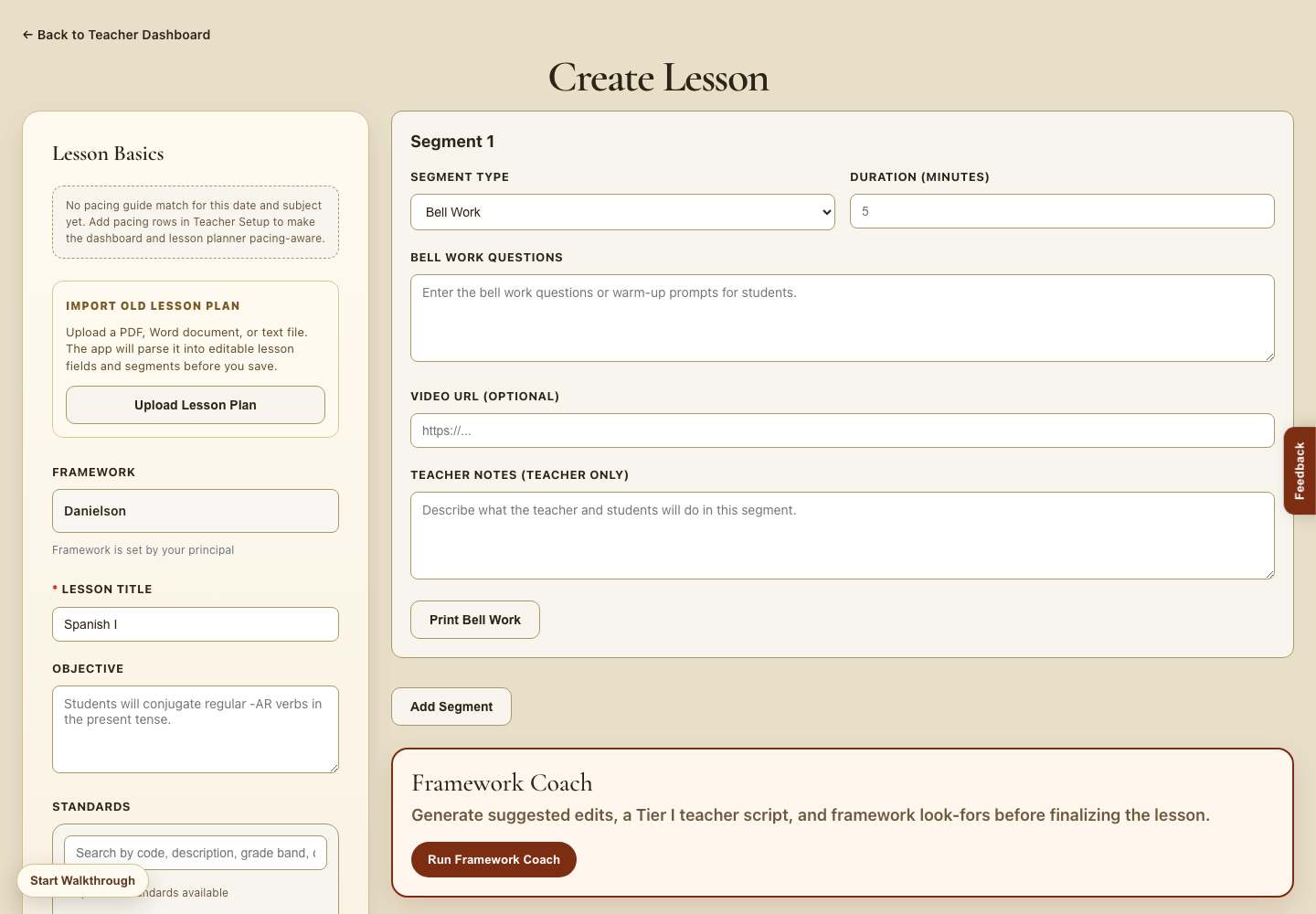
Teachers can create lessons with objectives, standards, textbook context, vocabulary, student supports, and a teaching-framework coach in one guided workspace.
Guided lesson creation
The builder helps teachers organize lesson basics, instructional segments, standards, notes, and supports so the finished lesson is ready for teaching, sharing, reflection, and material generation.
Add objectives, standards, vocabulary, textbook names, pacing focus, and teacher-selected instructional goals.
Build bell work, direct instruction, guided practice, collaboration, independent work, and checks for understanding.
Scaffold Tier II and Tier III instruction, students with IEPs, and English Language Learners inside the plan.
Generate suggested edits, teaching-loop scripts, and framework look-fors before the lesson is finalized.

What teachers can do here
Lesson basics keep the title, objective, standards, and school framework visible while planning.
Lesson segments help teachers map what the teacher and students will do throughout the lesson.
Framework Coach suggests revisions and teacher scripts aligned to the school’s selected teaching framework.
Next step
Once the lesson is drafted, teachers can build handouts, exit tickets, vocabulary supports, and other resources from the lesson plan.