
Lesson, materials, assessments, and student slides stay connected.
Teacher Lesson Planner
Plan the lesson, build the materials, and prepare the student presentation in one workflow.
Teacher Lesson Planner helps teachers move from objective to lesson plan, assignments, assessments, differentiated supports, and student-facing slides without rebuilding the same idea five different times.
Built for individual teachers first, with schoolwide setup available when your team is ready.
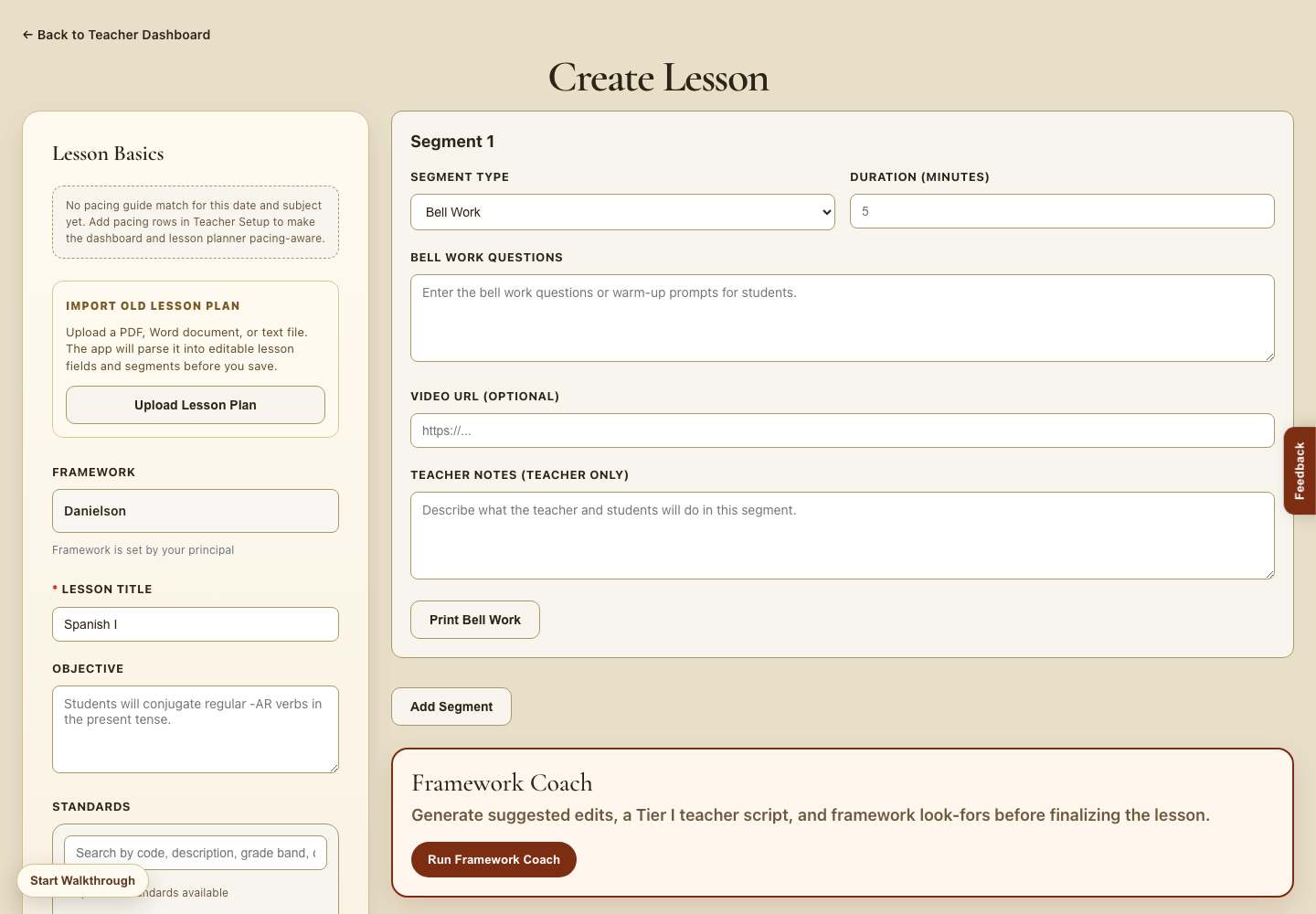
Plan for Tier II, Tier III, IEP, and English learner needs before class starts.
AI drafts the work; educators review, revise, and decide what students see.
Teacher planning problem
The problem is not that teachers cannot plan. It is that planning gets rebuilt too many times.
One objective becomes five separate tasks.
- Lesson plan in one document
- Assignment created somewhere else
- Assessment built later
- Slides rebuilt from scratch
- Supports added when time runs out
The instructional target stays connected.
- Objective, standard, and lesson arc stay visible
- Materials and checks for understanding pull from the plan
- Tier II, Tier III, IEP, and EL supports are planned earlier
- Student presentation slides are ready to preview
- The teacher reviews every output before use
Short walkthrough
From planning inputs to classroom-ready materials.
Add the instructional target
Start with the objective, standard, class context, textbook reference, vocabulary, or teacher notes.
Generate the lesson draft
Build a structured lesson arc with teacher actions, student actions, checks for understanding, and pacing.
Create connected materials
Turn the lesson into assignments, assessments, guided notes, exit tickets, vocabulary practice, and small-group supports.
Present it to students
Preview a student-facing slide deck that carries the objective, directions, vocabulary, and learning task into class.
Teacher use cases
Built for the real moments when planning gets heavy.
Tomorrow’s lesson is not ready yet
Move from a blank page to a usable first draft with the core instructional pieces already organized.
A student group needs Tier II support
Create targeted practice, checks for understanding, and scaffolded activities from the same objective.
An observation is coming up
Prepare a lesson that makes the objective, framework look-fors, student task, and evidence of learning easier to see.
A substitute needs clear plans
Keep lessons, assignments, and presentation directions together so the day is easier to hand off.
Teachers can use relevant instructional details to plan supports without collecting unnecessary personal information.
When used by a school, principals or authorized administrators can approve roles and manage access.
Workflows are designed with student privacy, data minimization, and educator review in mind.
Common teacher questions
Designed to support teacher judgment, not replace it.
Will the lessons feel generic?
The strongest outputs come from teacher context: objective, standards, vocabulary, class needs, textbook reference, and instructional goals. The teacher still reviews and edits the plan before using it.
Does it replace planning?
No. It reduces repetitive production work so teachers can spend more energy on instructional decisions, student needs, and lesson delivery.
Can I use it as an individual teacher?
Yes. Teachers can start with an individual account. Schools can later move to a site setup with role-based access and shared workflows.
What about student privacy?
Use only the instructional details needed to support learning. The product is designed around data minimization and educator review before anything is used with students.
Built by a current school leader
Created by an educator who understands what teachers and administrators need from a lesson plan.
Teacher Lesson Planner is shaped by Dr. Francisco Trujillo's 18 years in education as a classroom teacher, dean, assistant principal, and educator with an M.Ed. in Advanced Teaching and Leadership and an Ed.D. in Organizational Leadership.
Meet the founderReady to plan with less lift?
Start with one lesson and see how the workflow carries through to materials and student slides.
Teachers can begin individually, then bring the workflow to a school conversation when the team is ready.